
•ether.fi
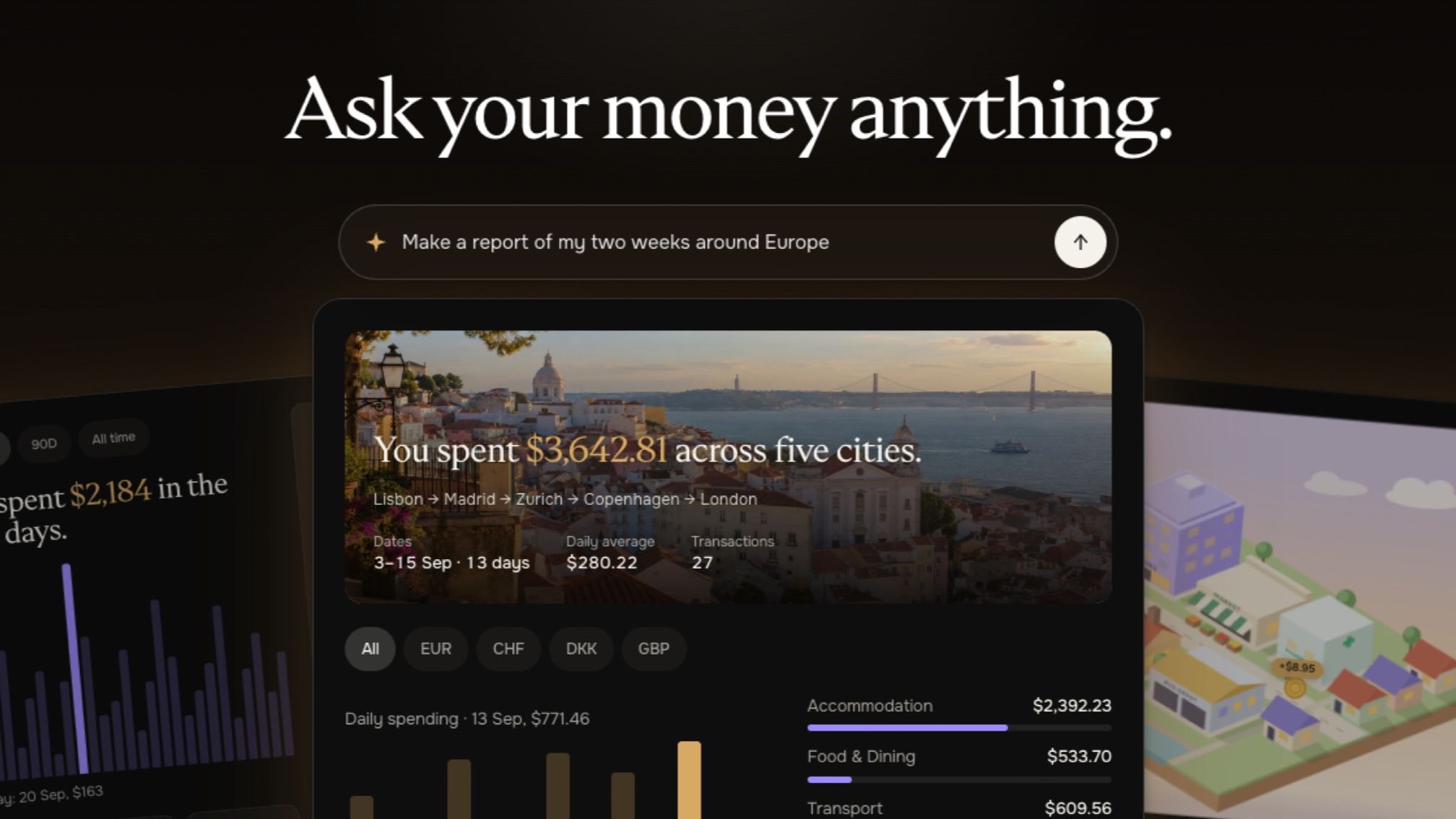
Connect compatible AI assistants to ether.fi’s read-only MCP server. Analyze spending, subscriptions and transactions with permissions you control.
AI Connections is live in the ether.fi web app. Connect a compatible AI assistant, including Claude or ChatGPT, to your account and ask questions about your spending, transactions, cards and balances.
AI Connections uses the Model Context Protocol (MCP), an open standard for connecting AI assistants to external data and tools. The ether.fi MCP server provides read-only access to the account information you approve, helping your assistant turn transaction history into spending summaries, subscription audits and trip reports.
More account data and capabilities are coming later this year.
Transaction lists tell you what’s happened, one line at a time. They don’t tell you what your subscriptions cost in a year, which charges look out of place, or what your last trip really added up to.
With AI Connections, you can ask. Your assistant reads the parts of your ether.fi account you approve, then answers in plain words or builds you a page you can come back to.
The ether.fi MCP connector comes with ready-made ideas for analyzing your spending and account data. Ask your assistant what you can build with your ether.fi data, or start with one of these.
Want more inspiration? Check out our examples page.
When you connect, you switch on what the assistant can see. All permissions are off by default.
You approve every connection on an ether.fi screen within the ether.fi app, never inside the chat.
No. The ether.fi MCP server is read-only. A connected assistant can’t spend, borrow, repay, withdraw or change your cards. It never sees your full card number, CVC or expiry, and it can only read the account you approved. There’s no ether.fi fee to use it.
A connection lasts 90 days. In Settings, then AI connections, you can see every assistant you’ve connected, what it can read and when it last read your account, and disconnect any of them at any time. Access stops on the assistant’s next request.
You can connect multiple compatible AI assistants to the same ether.fi account, including Claude and ChatGPT. Each assistant has its own connection and permissions.
For detailed instructions, see how to connect an AI assistant to ether.fi.
AI Connections is in the ether.fi web app today, and coming soon to the iOS and Android apps.